
Best CPUs for Gaming: 5 Picks That Make Sense
As an Amazon Associate, I earn from qualifying purchases. Some links may earn us a commission at no extra cost to you.
If you’re building a gaming PC, the CPU choice mostly comes down to platform (AM5 vs LGA1700), cooling/power limits, and whether you want the absolute highest FPS or a smarter value pick.
Top picks
AMD Ryzen 7 9800X3D — Best for max gaming FPS (AM5)
One-sentence summary: The “buy once, enjoy for years” pick for high-end gaming builds on AM5.
Why it wins: Cache-focused gaming design + strong all-around performance.
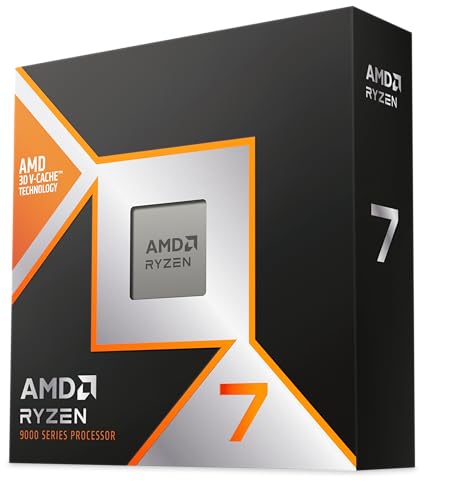
- The world’s fastest gaming processor, built on AMD ‘Zen5’ technology and Next Gen 3D V-Cache.
- 8 cores and 16 threads, delivering +~16% IPC uplift and great power efficiency
- 96MB L3 cache with better thermal performance vs. previous gen and allowing higher clock speeds, up to 5.2GHz
Pros
- Top-tier gaming focus (great for high refresh rates)
- Strong long-term platform path on AM5
- Great “set it and forget it” gaming CPU
Cons
- Cooler typically required (plan your budget)
- Overkill if you’re pairing with midrange GPUs
Trade-offs / Who should skip: If you mostly play at 4K with ultra settings, your GPU does most of the work—consider saving money and stepping down.
Scores: Performance 5/5 • Gaming-cache metric 5/5 • Ease of use 4/5 • Value 4/5
AMD Ryzen 7 7800X3D — Best for high-end value gaming (AM5)
One-sentence summary: Still one of the cleanest “pure gaming” buys when you want elite performance without chasing the newest.
Why it wins: Cache-heavy gaming strength with typically easier thermals than many flagship non-X3D chips.

- Processor provides dependable and fast execution of tasks with maximum efficiency.Graphics Frequency : 2200 MHZ.Number of CPU Cores : 8. Maximum Operating Temperature (Tjmax) : 89°C.
- Ryzen 7 product line processor for better usability and increased efficiency
- 5 nm process technology for reliable performance with maximum productivity
Pros
- Excellent gaming-first performance for the money
- Usually simpler cooling than “max power” flagships
- Great match for high-end GPUs at 1080p/1440p
Cons
- Not the best pick if productivity is your main goal
- Availability can fluctuate vs. newer parts
Trade-offs / Who should skip: If you do heavy rendering/encoding daily, you may prefer a higher-core CPU instead of paying for gaming cache.
Scores: Performance 4/5 • Gaming-cache metric 5/5 • Ease of use 4/5 • Value 5/5
Intel Core i7-14700K — Best for gaming + streaming + multitasking (LGA1700)
One-sentence summary: A great “do everything” chip if you game, stream, and keep a lot running in the background.
Why it wins: Strong hybrid-core horsepower for mixed workloads.
No products found.
Pros
- Strong for gaming while streaming/recording
- Great for creators who also game
- Broad LGA1700 motherboard support (check BIOS)
Cons
- Cooling/power planning matters more than AMD X3D picks
- Platform upgrade path may be less attractive long-term
Trade-offs / Who should skip: If your #1 goal is maximum gaming FPS per watt (and you don’t need big productivity gains), an X3D CPU can be the simpler win.
Scores: Performance 5/5 • Gaming-cache metric 3/5 • Ease of use 3/5 • Value 4/5
Intel Core i5-14600K — Best Intel value for gamers (LGA1700)
One-sentence summary: The sweet spot when you want strong gaming performance without paying flagship money.
Why it wins: Great balance of speed and price class for most gaming rigs.
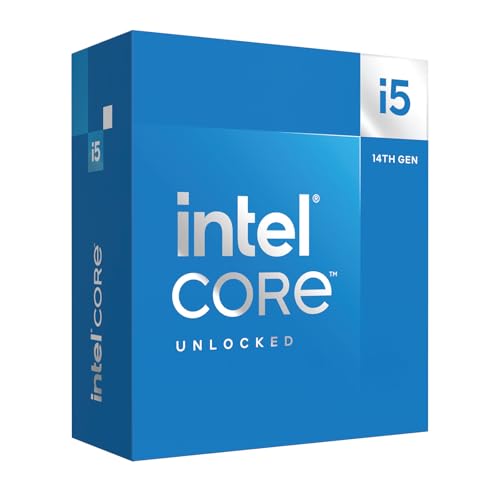
- Intel Core i5 Desktop Processor (14th Gen) 14600K.
- Unlocked Intel Core i5 Desktop (14th Gen) processors support PCIe 5.0 and 4.0 technologies, as well as DDR5 and DDR4 memory.
- Optimized for gamers and office applications, they deliver high performance.
Pros
- Excellent gaming value in Intel’s lineup
- Plenty of headroom for today’s GPUs at 1440p
- Good “first serious build” CPU
Cons
- Can still run warm under heavy loads (cooler matters)
- Less “plug-and-play gaming dominance” than X3D
Trade-offs / Who should skip: If you’re targeting the highest possible FPS in competitive titles, an X3D CPU is often the more direct path.
Scores: Performance 4/5 • Gaming-cache metric 3/5 • Ease of use 4/5 • Value 5/5
AMD Ryzen 5 7600 — Best budget gaming CPU that stays future-friendly (AM5)
One-sentence summary: A smart entry into AM5 that games well and keeps your upgrade options open.
Why it wins: Solid gaming results for the tier + AM5 platform longevity.

- POWERFUL GAMING STARTS HERE
- 6 Cores and 12 processing threads, based on AMD "Zen 4" architecture
- 5.2 GHz Max Boost, unlocked for overclocking, 38 MB cache, DDR5 support
Pros
- Great “bang for the build” gaming CPU
- AM5 platform gives you a clean upgrade path later
- Often an easier cooling setup than higher-tier parts
Cons
- Not ideal for heavy streaming + editing at once
- If you’re chasing ultra-high FPS, you’ll want more CPU
Trade-offs / Who should skip: If you already bought a top-end GPU and play CPU-heavy esports titles, you’ll likely want to step up to an X3D chip.
Scores: Performance 3/5 • Gaming-cache metric 3/5 • Ease of use 5/5 • Value 5/5
Quick compare (no fluff)
- Absolute top gaming: Ryzen 7 9800X3D
- High-end “best buy” gaming: Ryzen 7 7800X3D
- Game + stream + productivity: Core i7-14700K
- Intel value gaming: Core i5-14600K
- Budget AM5 that’s easy to upgrade later: Ryzen 5 7600
Buying guide (how to choose fast)
- If you mainly care about FPS and smoothness: pick an X3D chip first. It’s the most straightforward “gaming-first” choice.
- If you also create content or stream a lot: lean toward a higher-core Intel i7 (or a higher-core AMD non-X3D), then invest in cooling.
- If you want the best upgrade path: AM5 is the easy answer (drop-in upgrades tend to be simpler over time).
- If you’re gaming at 4K: your GPU is usually the limiter—spend more on the GPU before you overspend on the CPU.
- Don’t forget cooling: “K” Intel chips and higher-tier CPUs can need a stronger cooler to hit their potential.
FAQs
What’s the best CPU for gaming overall?
If you want the most straightforward “top FPS” choice, I’d start with the Ryzen 7 9800X3D.
Is AMD or Intel better for gaming?
AMD’s X3D CPUs are often the easiest win for pure gaming. Intel can be a great pick when you want gaming + streaming + productivity in the same box.
Should I buy AM5 or LGA1700 in 2026?
If you care about upgrading the CPU later, AM5 is typically the safer bet. If you’re building for value using existing LGA1700 boards/features, Intel can still make sense.
Do I need an expensive CPU for 1440p or 4K?
Not always. At 1440p/4K, many games become GPU-limited, so a smart midrange CPU can feel nearly the same as a flagship in real gameplay.
As an Amazon Associate, I earn from qualifying purchases.